Sell new, used and brokered from one system.
Marine Forge Sales is for marine businesses that sell and have no service department of their own. Dealer stock and brokerage run side by side on one contact book, from the first enquiry to the signed agreement and the delivery.
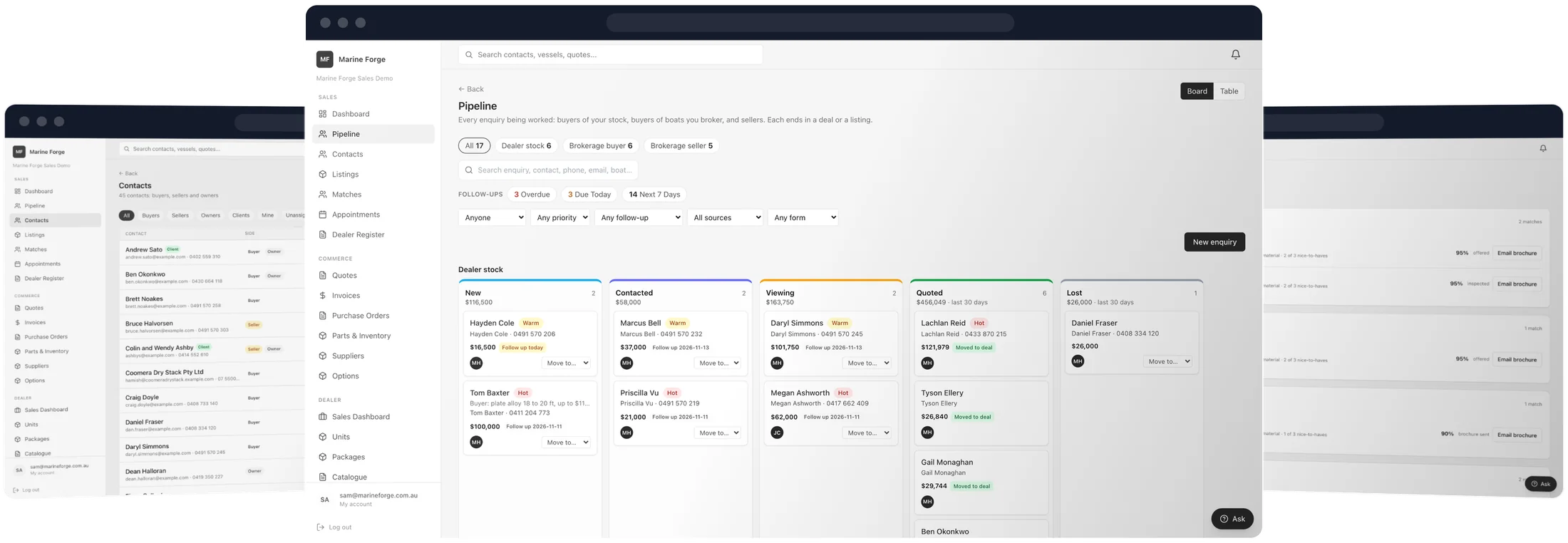
Made for businesses that sell, without a workshop of their own.
Vessels, engines, jet skis, trailers, plant, electrical and accessories, new and second-hand.
Manufacturers
Selling your own range, with every unit, buyer and deal on one record.
Importers and distributors
Bringing stock in, then selling it retail and to your own dealers.
Dealers
Selling new and used stock, with the trade in, finance and deposit on the deal.
Second-hand sellers and brokers
Selling your own used stock and the boats you list for their owners, side by side.
Do you have your own service department? That decides it.
Yes: Marine Forge Operations
Available nowFor businesses that do the work: service, repairs, refits and yards. If you sell boats too, its Dealer module runs your sales on the same record as your workshop.
See the Dealer module →No: Marine Forge Sales
Available nowFor businesses that sell and leave the servicing to others. Everything for dealer and brokerage sales in one product, with no workshop to work around and no editions to choose between.
Someone may take years to buy. Keep them from the first hello.
Everyone is a contact from the first conversation, and what they are after stays on their file after an enquiry closes.
- Nobody falls out of the bookEvery enquiry is matched to a contact by email or phone, or makes a new one, whichever screen or form it came from.
- Client is a tag, not a stepA buyer is tagged Client when their deal is delivered, a seller when they sign an authority to sell. You can add or remove it by hand.
- A sales rep on every contactSee your own contacts, the ones nobody is looking after yet, or only your clients, in one click.
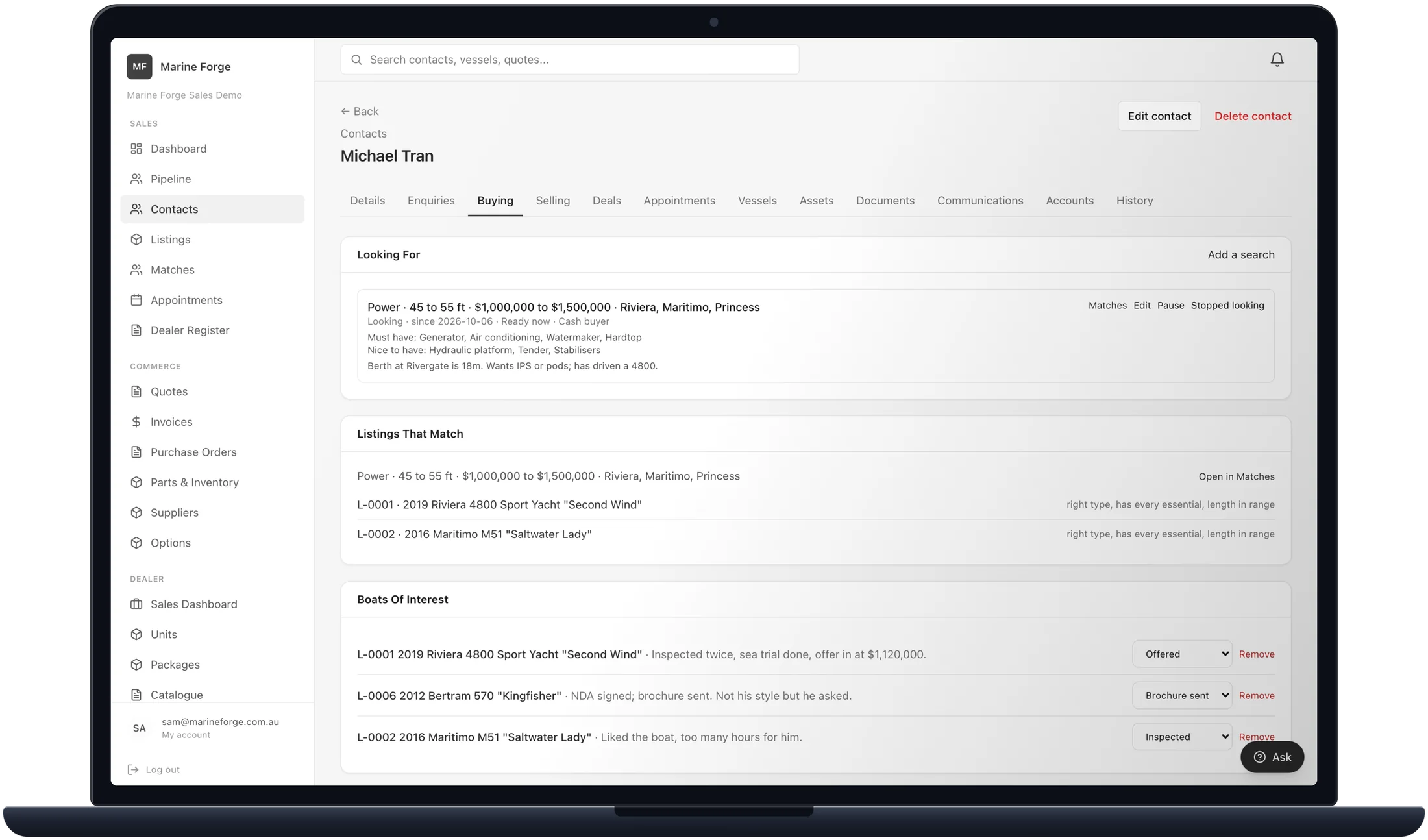
Three kinds of enquiry, each with its own stages.
Work every kind on a board or a table. Each one ends with the step that makes something real, and one that goes cold closes as lost, with the reason.
- Dealer stockWants to buy something you own, new or used. New, Contacted, Viewing, then quote a unit to make the deal.
- Brokerage buyerWants a boat you sell for someone else. New, Contacted, Inspection or sea trial, then start the offer.
- Brokerage sellerWants you to sell their boat. New, Appraised, then take the listing once the authority to sell is signed.
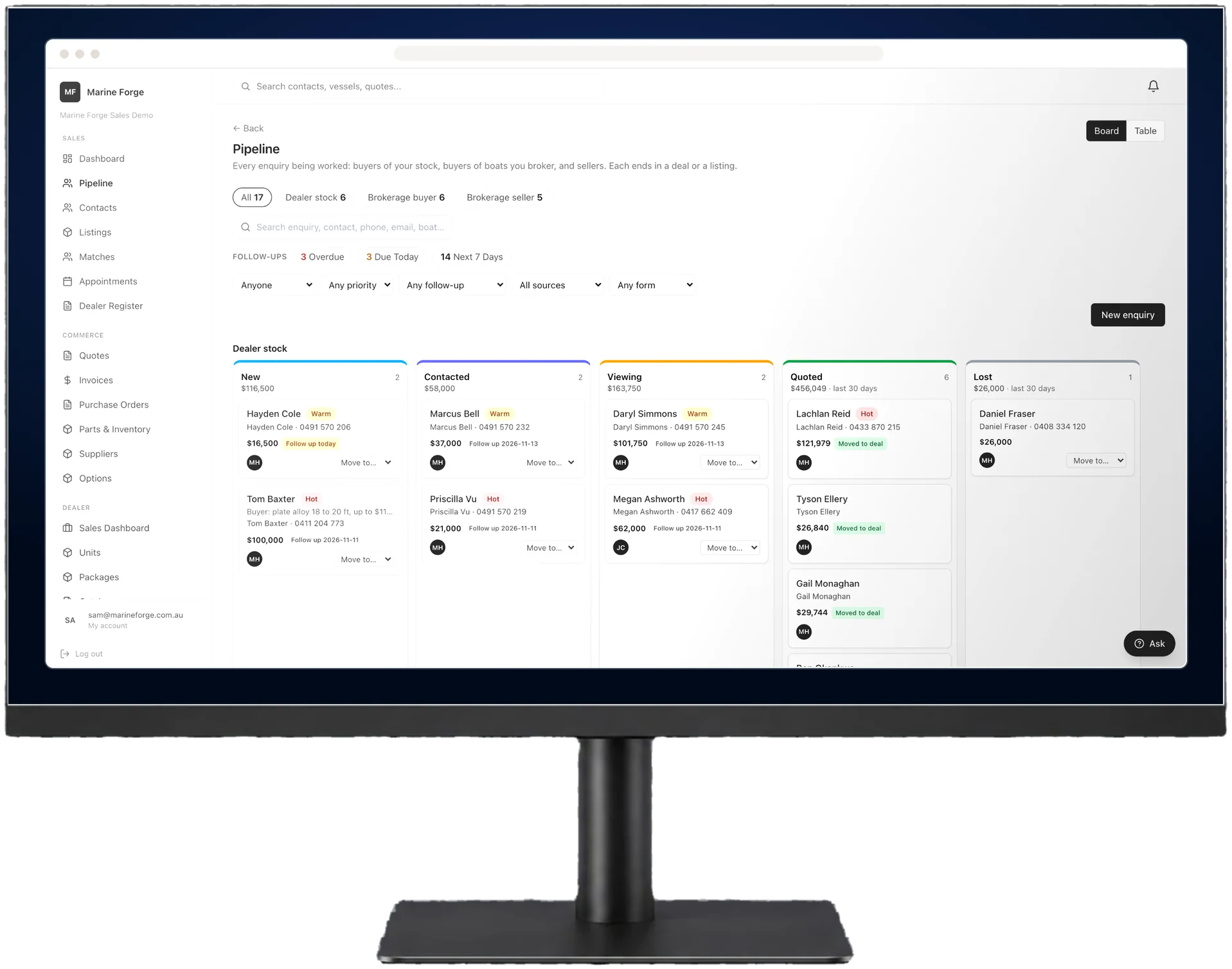
Enter the boat once. Every listing reads from it.
- One specificationThe boat's specs are entered once, then read by the listing, the brochure, your website feed and your agreements.
- Ready before it goes liveA listing needs a price, a proper description and a photo to publish, and a brokerage listing needs a signed authority to sell.
- Your own website feedPublished listings are served to your website as a feed, and come off it when they sell or are withdrawn.
- Brochures and portalsA brochure PDF emailed to a buyer from the listing, and a record beside it of where each boat is advertised.
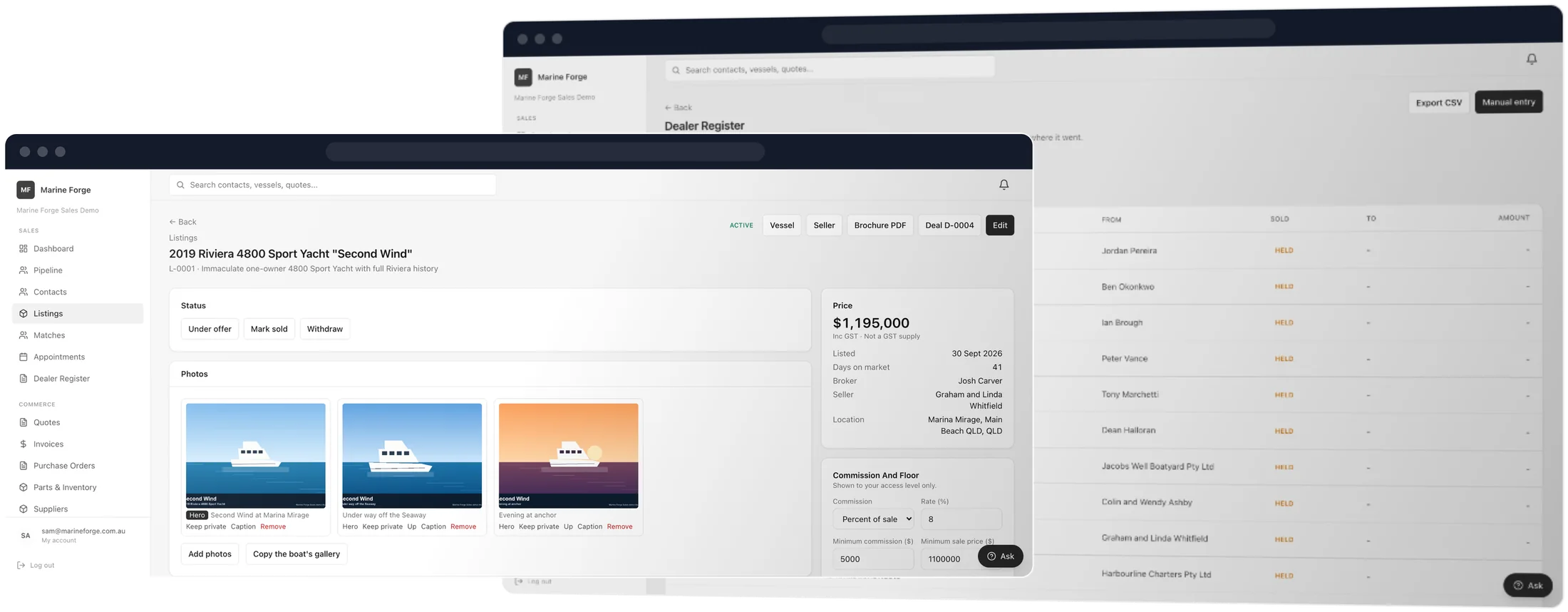
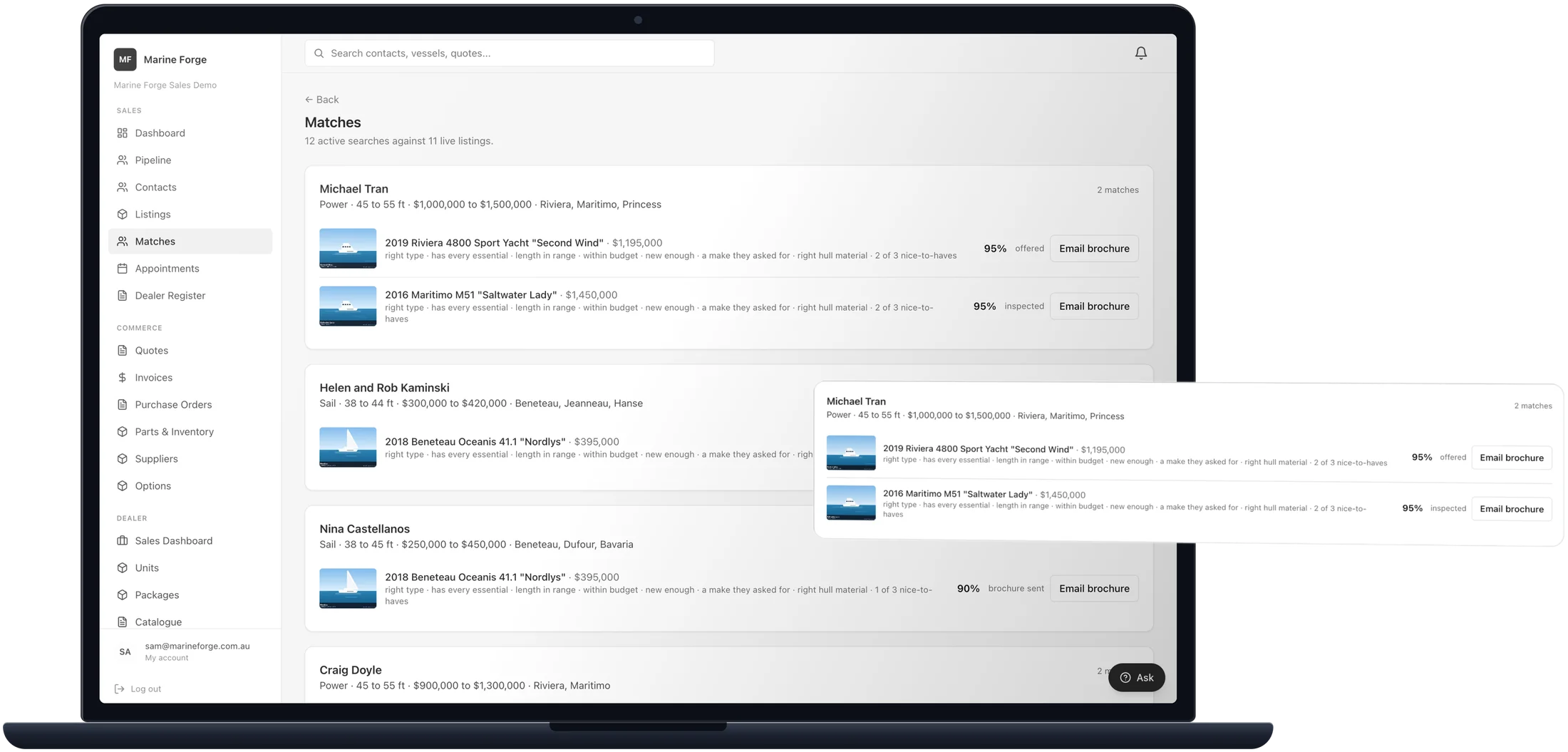
Every buyer's search, against every live listing.
- Requirements on the contactWhat a buyer is after is saved on their contact, so it outlives the enquiry it came from.
- Ranked, with reasonsLive listings ranked against each requirement, with why each one placed where it did, and boats that will not fit the buyer's berth left out.
- Told when one fitsWhen a listing goes on the market, the rep looking after each buyer it fits hears about it in the app.
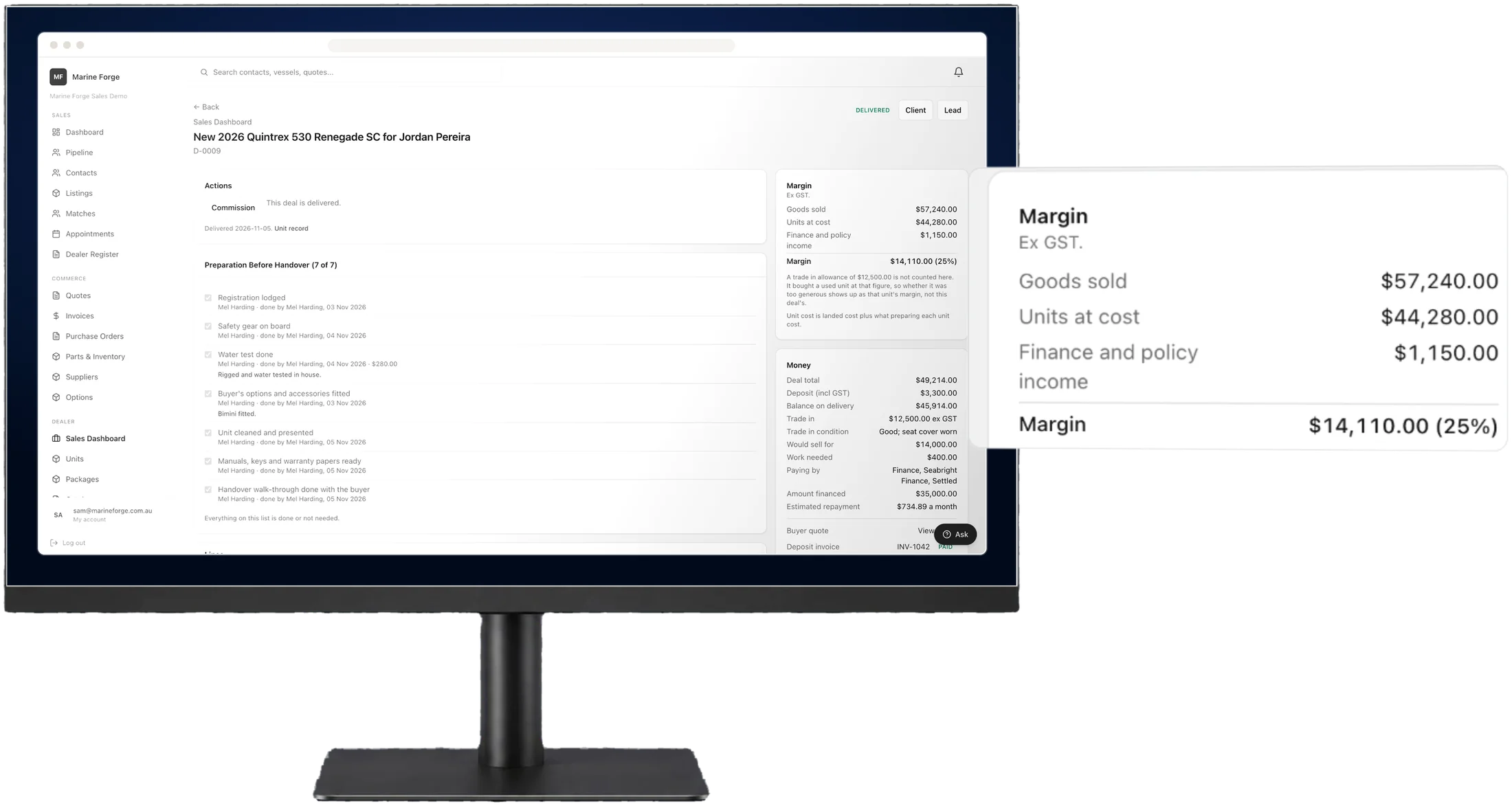
Know what every sale made before it is delivered.
Stock with a serial
Boats, engines, jet skis and trailers, each with its own serial, as new, used, demo, consignment or trade in.
Build the deal
Units, accessories from your parts list, fees and freight on one deal, with the sales rep named on it.
Trade ins and finance
The trade in's allowance, payout and condition, and the lender, amount, term and rate, all on the deal.
Deposits in order
Deposit and balance invoices raised from the deal, with the deposit taken off the balance for you.
Floor plan
Lender, amount drawn and interest so far on every financed unit, and anything sold but not yet paid out.
The real margin
Landed cost, preparation costs and deal income, live as the deal changes. Costs stay out of sight for anyone without the right.
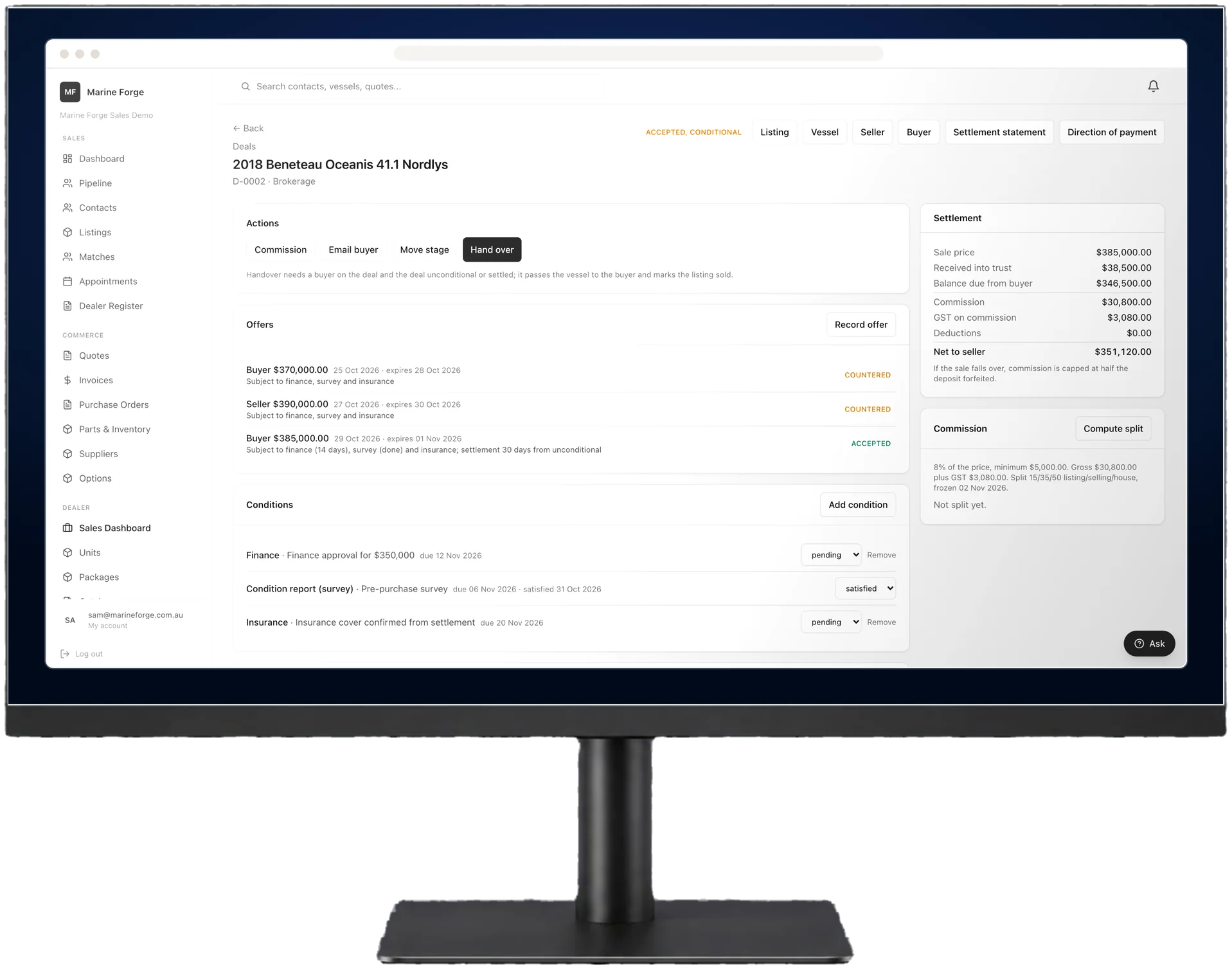
Offers, conditions and settlement, on the deal itself.
- Offers and counter offersEvery offer from the buyer and every counter from the seller, with its expiry, its conditions and where it ended up.
- Conditions to satisfyFinance, survey and insurance, each with its due date, marked pending or satisfied on the deal.
- Settlement and commissionThe settlement statement and direction of payment, and the commission split, worked out from the deal.
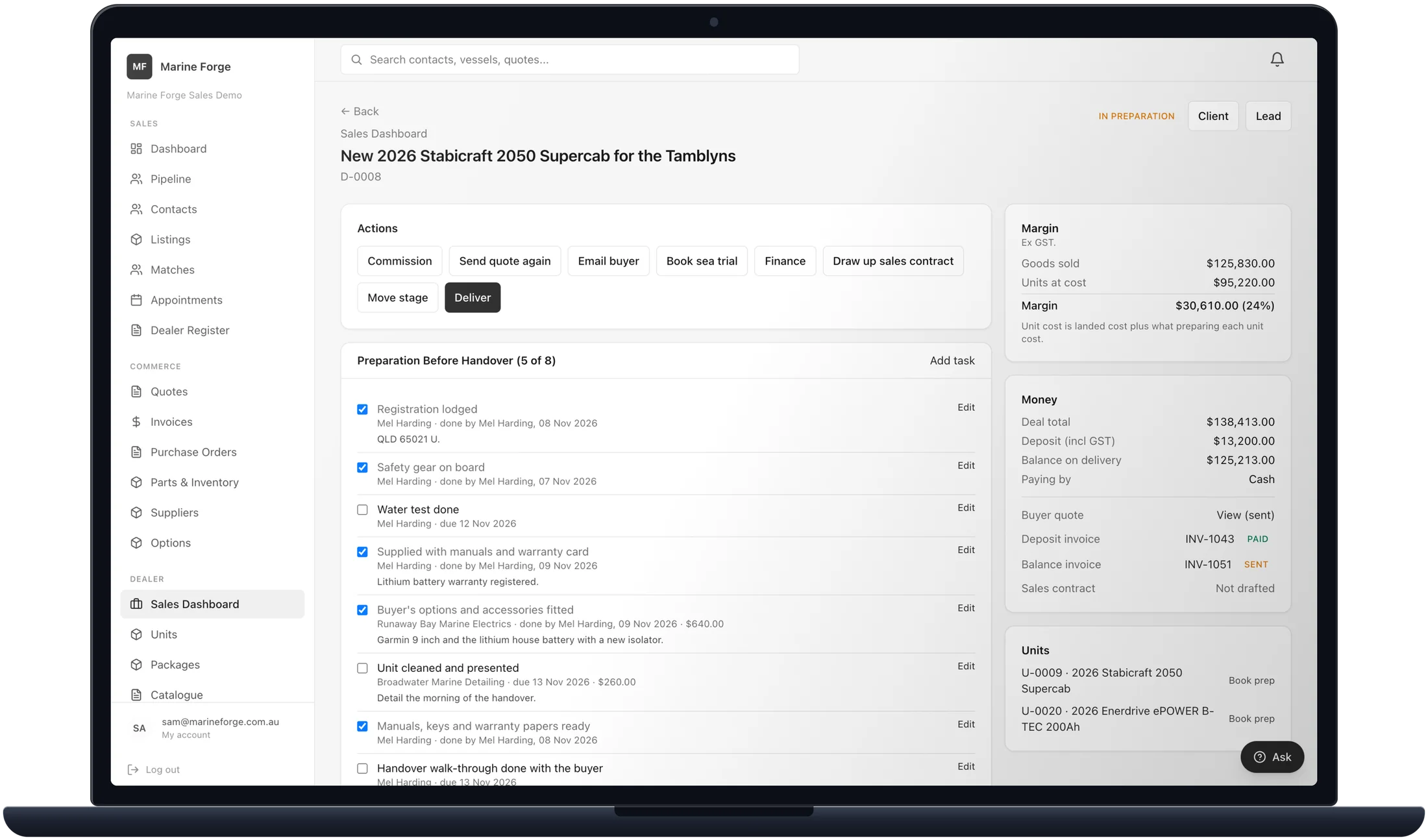
Ready to hand over, without a workshop.
Tasks on a unit or a deal, for your team or an outside business, that start on their own when a unit arrives, is traded in or takes a deposit. Their costs count in the margin, and delivery asks for the list to be finished, or a reason.
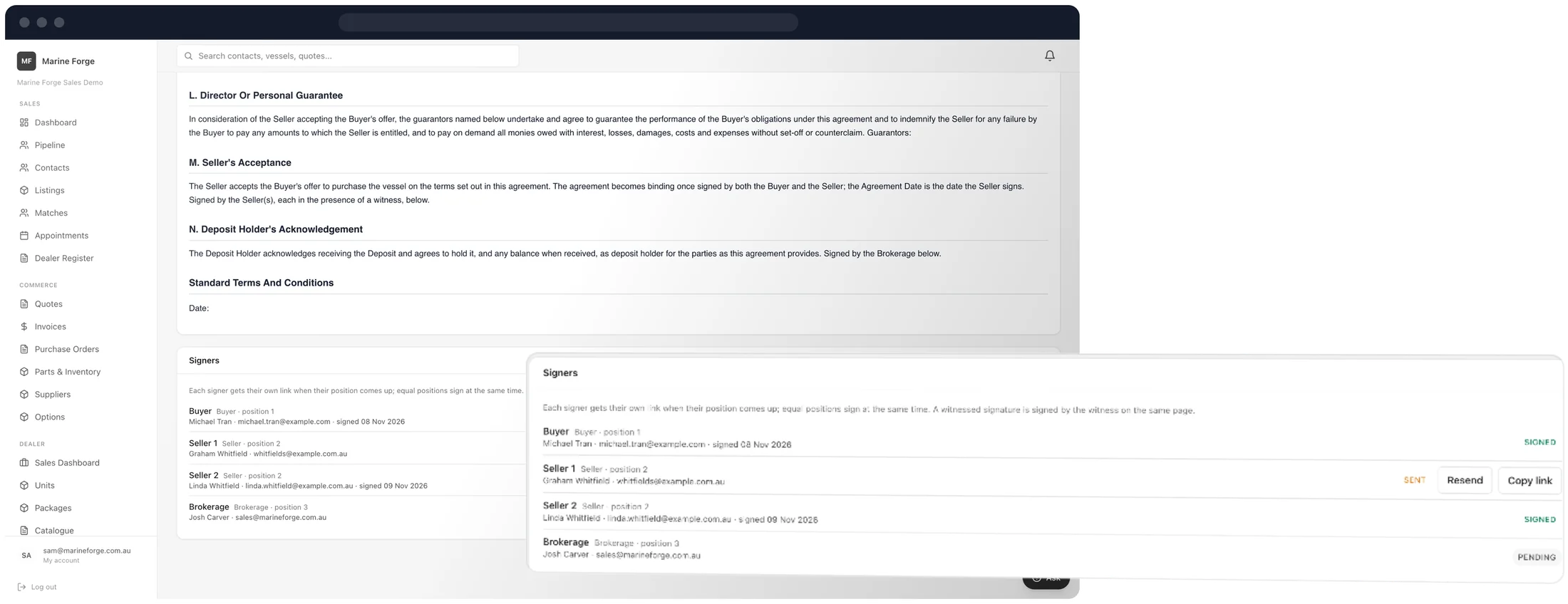
Drawn up from the record, signed in order.
- Your own agreementsLoaded as templates and filled from the deal or the listing, so nothing is typed twice.
- Signers in orderEach signer gets their own link when their position comes up, and equal positions sign at the same time.
- Witnessed where it countsA witnessed signature is signed by the witness on the same page.
Appointments
Inspections and sea trials in one diary. A sea trial cannot be marked completed until the owner's sea trial disclaimer is signed.
The dealer register
Your second-hand dealer register fills in from used stock, trade ins and brokerage listings, completes itself on the sale and exports to CSV.
A recycle bin
A deleted listing is kept for 30 days, ready to restore exactly as it was.
Two products, one handover between them.
Sales and Operations are separate products, each with its own database. What joins them is coming, so whoever services a boat never has to retype what was sold.
The handover pack
ComingWhat was sold, with its serials, warranty and service intervals, as a PDF and a link that stays valid for the buyer, and as a file a workshop on Marine Forge Operations can import.
Marine Forge Bridge
ComingSharing a client's file between Marine Forge businesses, in the same company or not, so a dealer and the workshop that services its boats start from the same details.
Frequently asked questions.
Is Marine Forge Sales available now?
Yes. Marine Forge Sales is available now, and so is Marine Forge Operations, including its Dealer module.
We have our own service department. Which product is ours?
Marine Forge Operations. Its Dealer module runs your sales on the same record as your workshop, and it stays part of Operations.
Is Marine Forge Sales a dealer management system?
Yes, for a dealer without a service department of its own. Stock, deals, trade ins, finance, deposits and margin sit in the same system as brokerage. A dealer with its own workshop is better served by the Dealer module in Marine Forge Operations.
Are there editions or tiers to choose between?
No. Every business on Marine Forge Sales has all of it, dealer and brokerage, with nothing to switch on.
How will a workshop get the details of what we sold?
Through the handover pack, which is coming soon: what was sold, its serials, warranty and service intervals, as a PDF and a lasting link for the buyer, and as a file a workshop on Marine Forge Operations can import. Marine Forge Bridge is coming after it, to share a client's file between Marine Forge businesses directly.
See where Sales fits your business.
Tell us how you sell today, and we will walk you through Marine Forge Sales on a live system, from the first enquiry to the signed deal.